> For the complete documentation index, see [llms.txt](https://docs.thorswap.finance/thorswap/llms.txt). Markdown versions of documentation pages are available by appending `.md` to page URLs; this page is available as [Markdown](https://docs.thorswap.finance/thorswap/ecosystem/thorchain/tcy/how-to-use-tcy.md).
# How to use TCY
## How to Claim, Manage and Trade $TCY
1️⃣ **Visit** [app.thorswap.finance/tcy](https://app.thorswap.finance/tcy)
2️⃣ **Connect wallets:** as $TCY is a token on THORChain, **you must connect a THORChain wallet or enter THORChain address (address beginning with *****thor…*****) to claim.**
> *Note*: Claims are tied to the original Lending collateral/Earn wallets.\
> Connect your original wallet for THORFi assets and then a THORChain wallet to claim. *For supported wallet interfaces see this chart:*
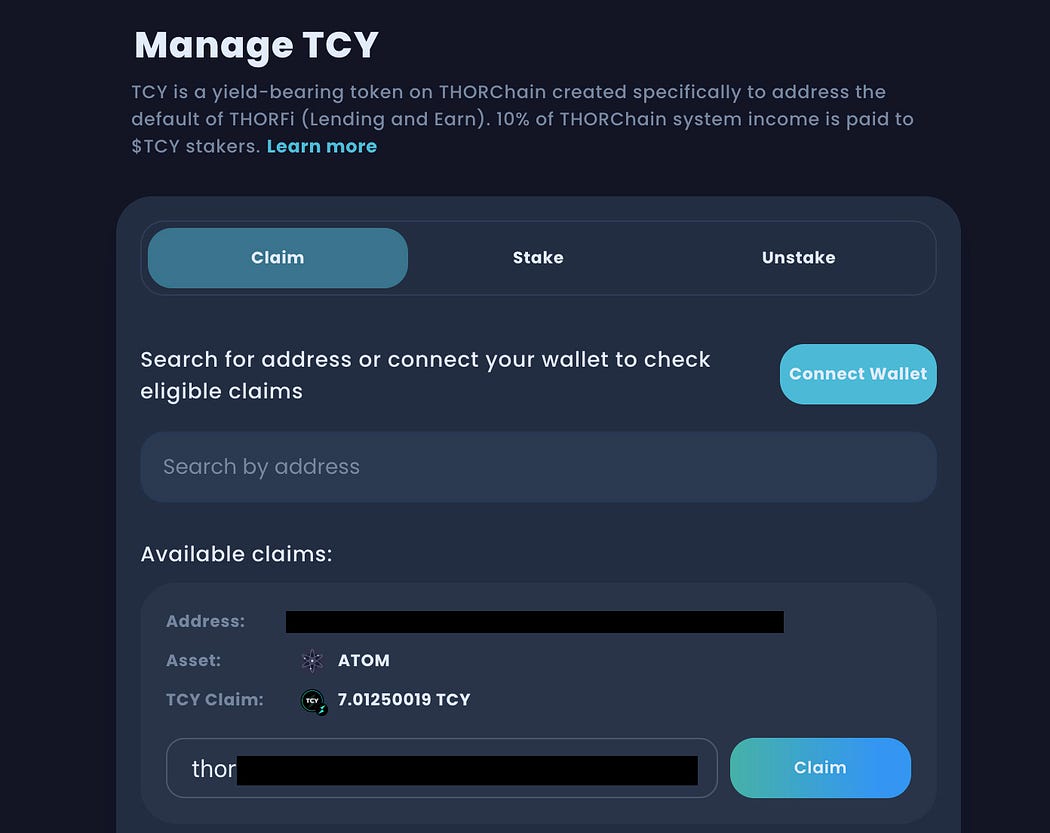
3️⃣ **Claim**: once your wallets are connected, eligible $TCY will be available to claim under the ‘Claim’ tab.
Click the ‘**Claim**’ button to continue, make sure you have a THORChain wallet (beginning with thor…) connected or manually enter one that you own to receive the $TCY.
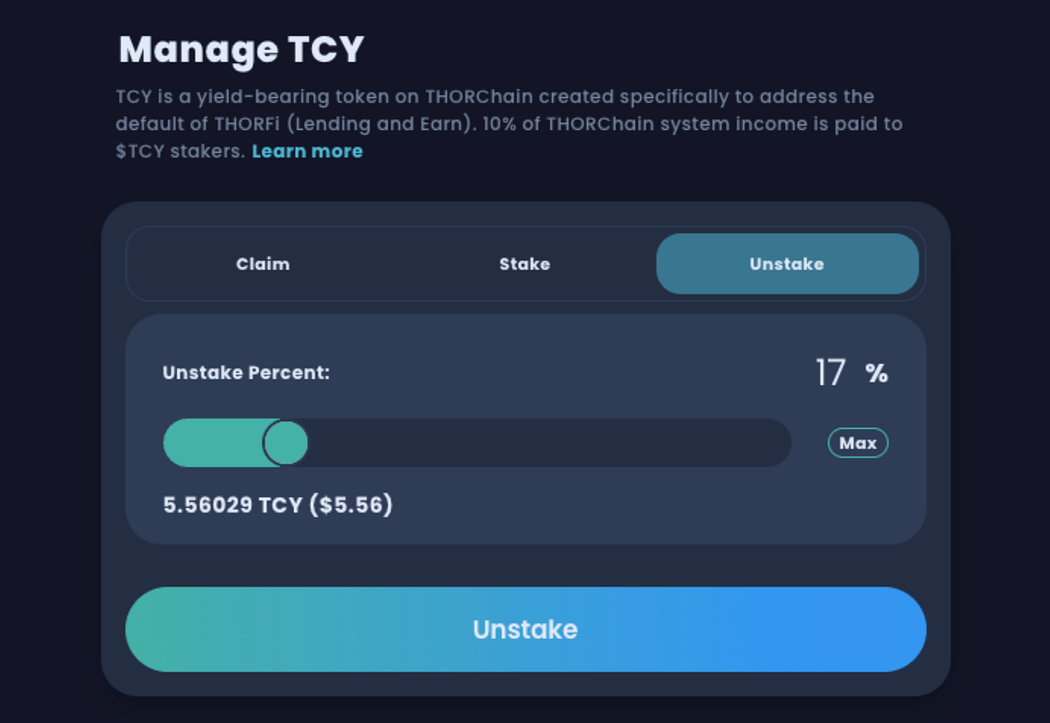
NOTE: Claimed $TCY is **automatically staked**, earning yield immediately. To view, click the **Unstake** tab.
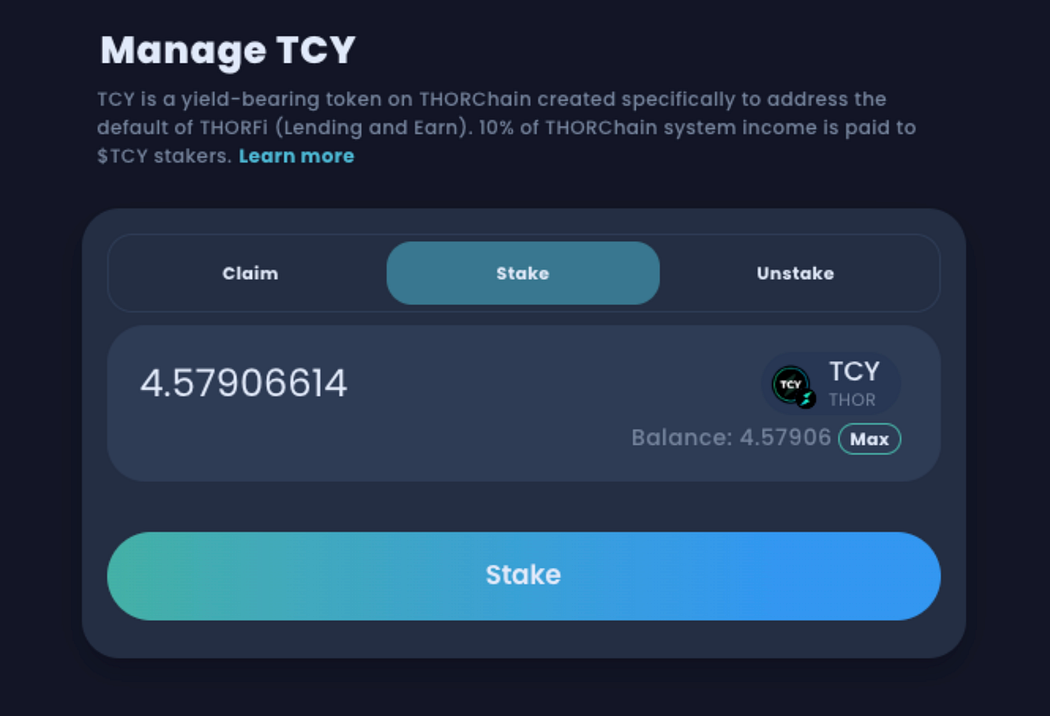
4️⃣ **Use Stake/Unstake tabs to manage $TCY.**\
You can buy more $TCY to stake for on-going yield. Or withdraw and provide liquidity via the new TCY/RUNE pool.
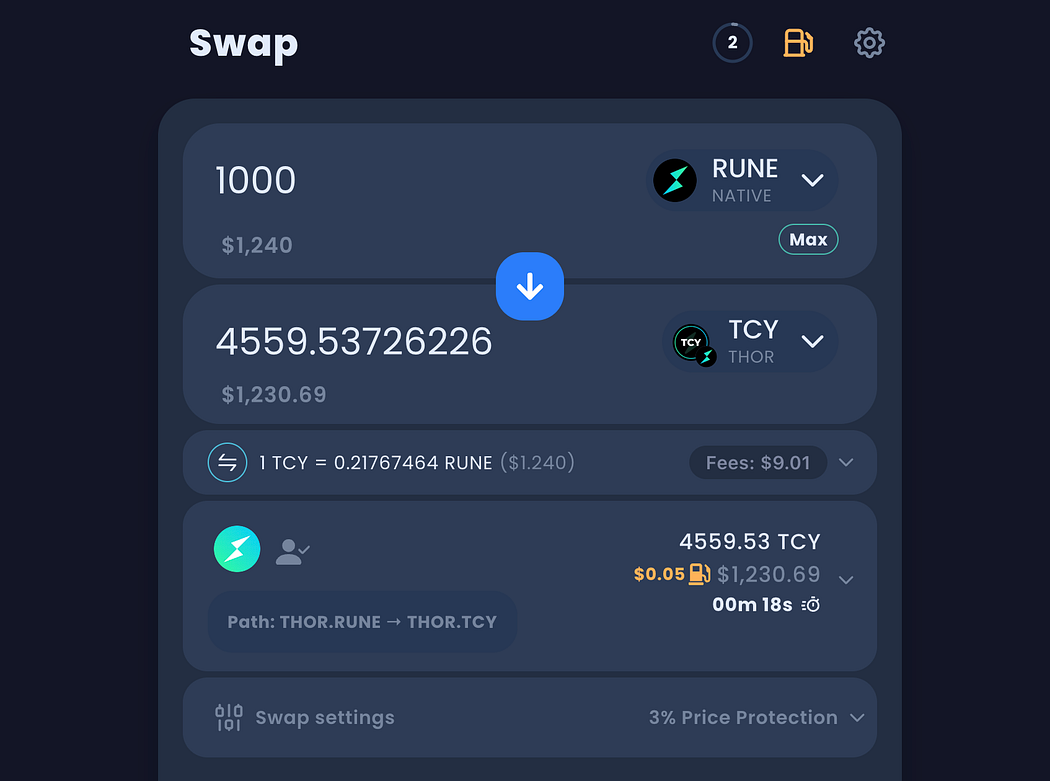
5️⃣ B**uy/Sell $TCY** on the swap page: [https://app.thorswap.finance/swap/THOR.RUNE\_THOR.TCY](https://app.thorswap.finance/swap/THOR.RUNE_THOR.TCY?sellAmount=0)