> For the complete documentation index, see [llms.txt](https://docs.thorswap.finance/thorswap/llms.txt). Markdown versions of documentation pages are available by appending `.md` to page URLs; this page is available as [Markdown](https://docs.thorswap.finance/thorswap/ecosystem/thorchain/archived/lending-deprecated/how-to-lend.md).
# How to Lend
## How to Open a Loan
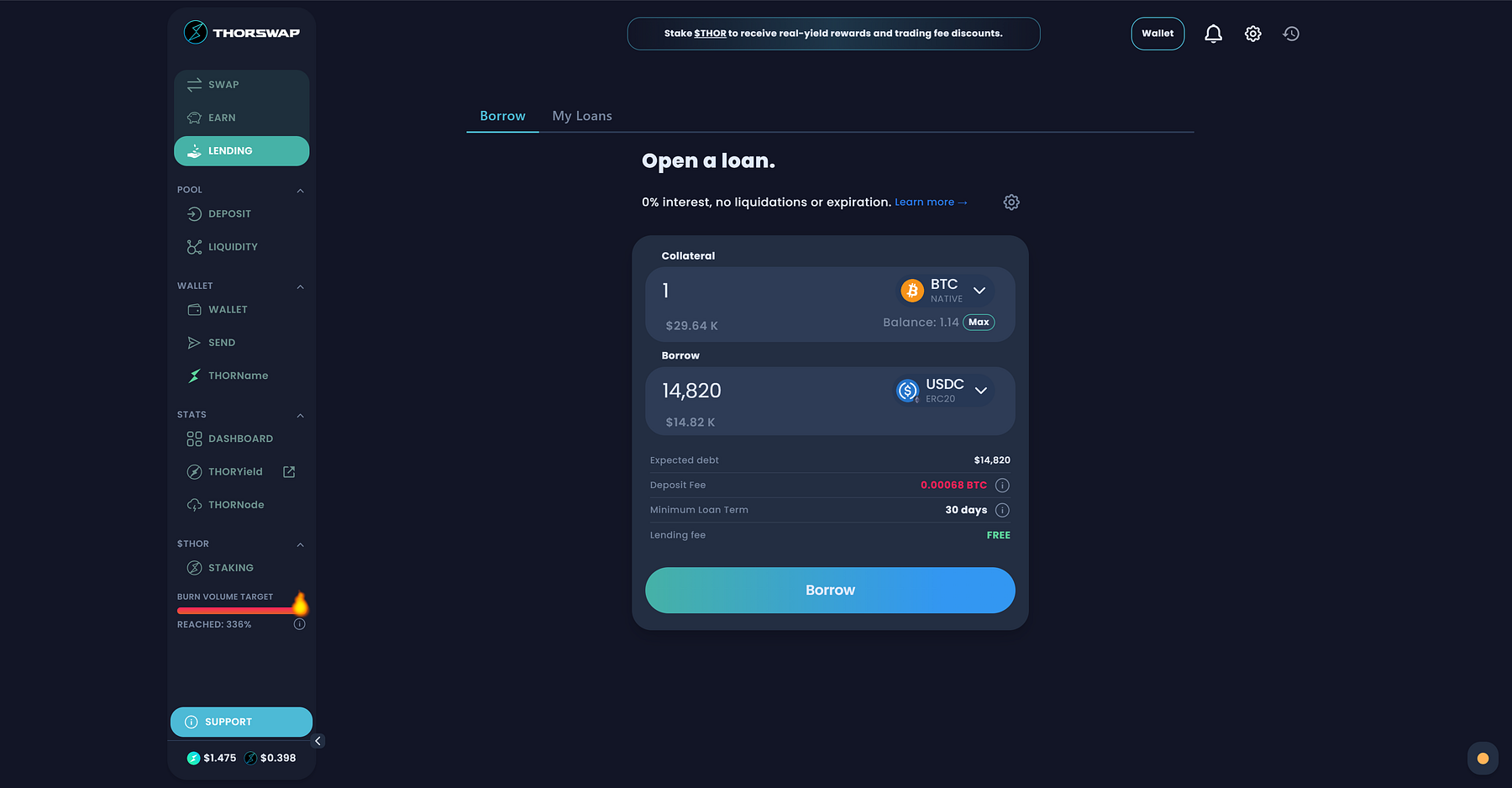
1. Visit 👉 [**https://app.thorswap.finance/lending**](https://app.thorswap.finance/lending) and connect your wallet. Currently supports depositing **$BTC** and **$ETH** as collateral.
2\. Once your wallet is connected, select the collateral asset and the amount you want to deposit.
3\. Choose the asset you wish to borrow, choose up to 1,000+ assets via THORChain liquidity pools and DEX Aggregation. The amount you can borrow will depend on the Collateralization Ratio. You will be also need to pay a deposit fee in the form of Slippage — this increases during periods of high volatility, THORSwap interface will let you know if fees are currently high.
4\. Confirm the transaction. Congrats, you’ve now just taken out your loan! Depending on the assets and amounts, your loan may take some time to be filled, so please check the tracker and be patient. Be aware there is a 30 day minimum loan period before repayments can be made/loans can be closed.
***
## How to Repay a Loan
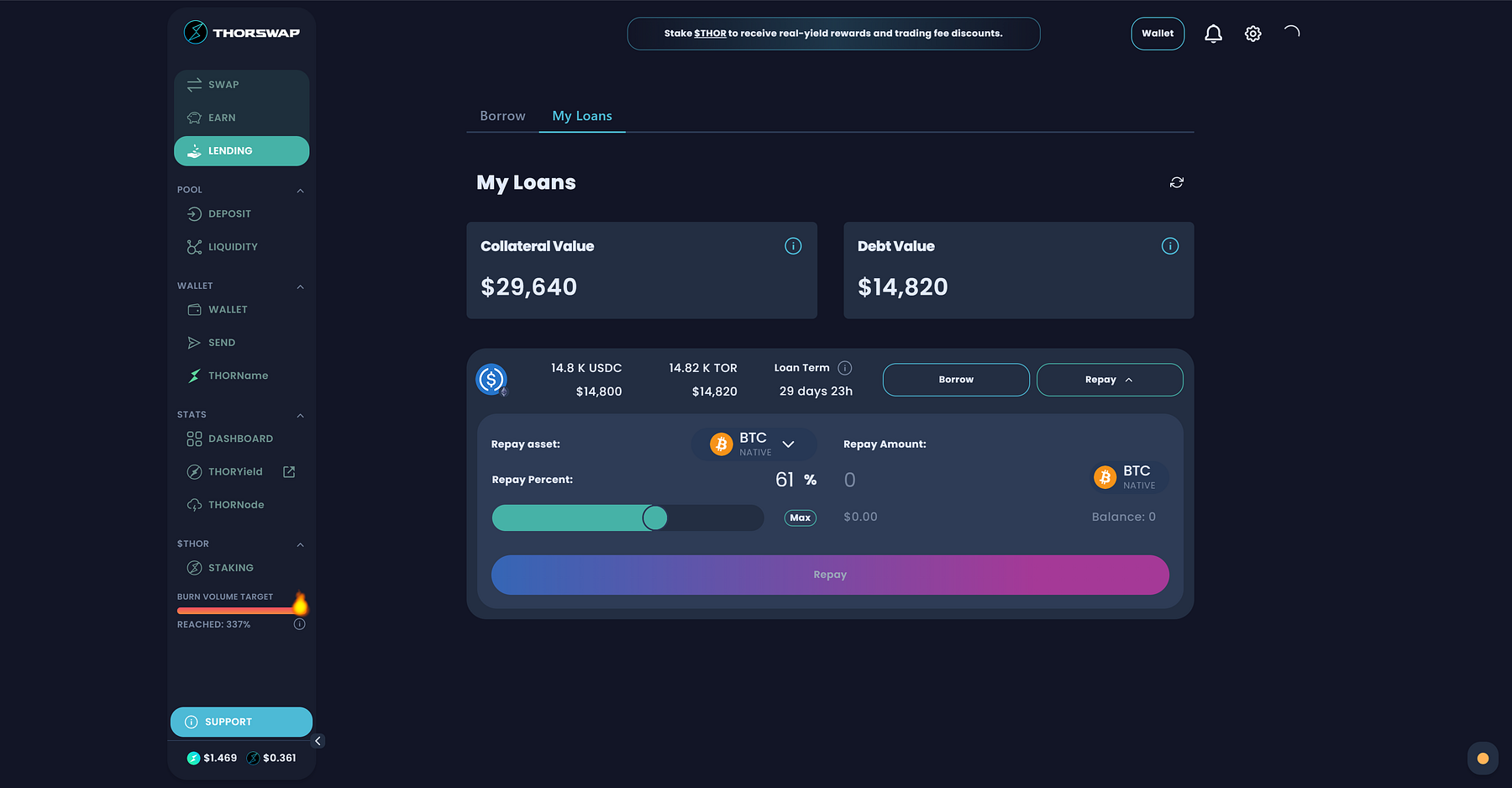
1. Visit 👉 [**https://app.thorswap.finance/lending**](https://app.thorswap.finance/lending) and connect your wallet. Click the **My Loans** tab to access your Loan information:
2\. If your Loan Term has completed then you pay proceed to begin repay the loan using the “Repay” button. Debt is denominated in USD-pegged TOR (calculated when Loan was opened). You can repay using any THORChain supported asset.
3\. Debt can be partially repaid, use the handy slider to choose the percentage. However, you will only receive your collateral back (minus slippage fees) when the debt is **paid in full**. The returned asset will be the exact asset deposited as collateral to open the loan.