> For the complete documentation index, see [llms.txt](https://docs.thorswap.finance/thorswap/llms.txt). Markdown versions of documentation pages are available by appending `.md` to page URLs; this page is available as [Markdown](https://docs.thorswap.finance/thorswap/ecosystem/thorchain/archived/earn/how-to-earn.md).
# How to Earn
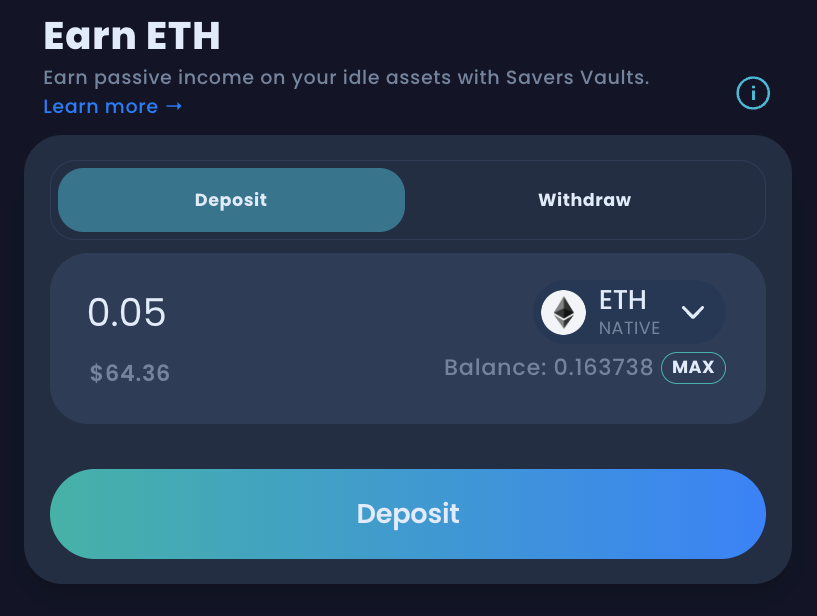
1. Visit [**app.thorswap.finance/earn**](https://app.thorswap.finance/earn) and connect your wallet. You can deposit any gas asset such as **$BTC, $ETH, $ATOM, $AVAX, $BNB, $DOGE, $LTC, $BCH** and earn yield.
2\. Once your wallet is connected, select the asset and the amount you want to deposit.
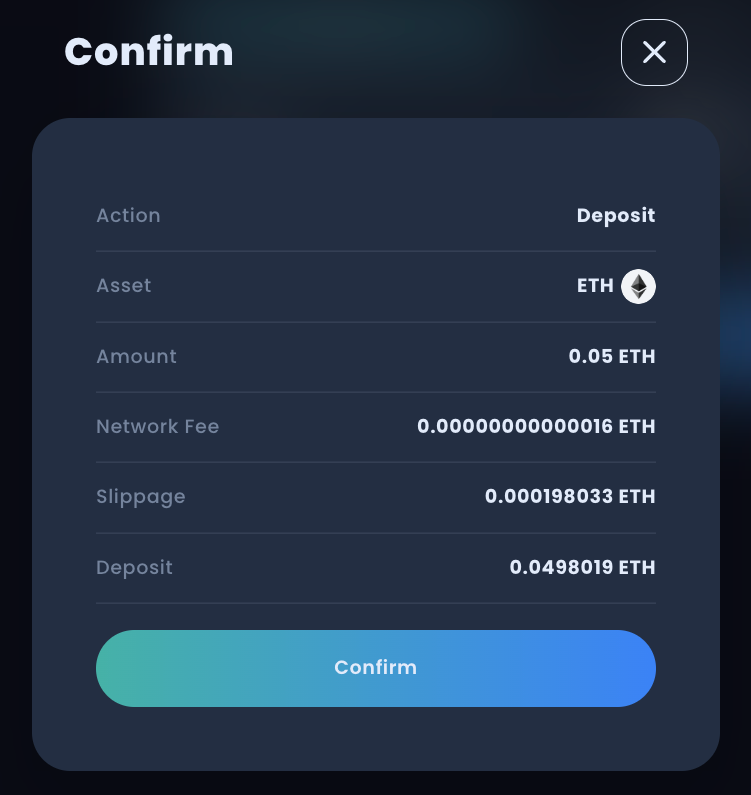
3\. Confirm the Transaction Confirmation pop up that appears.
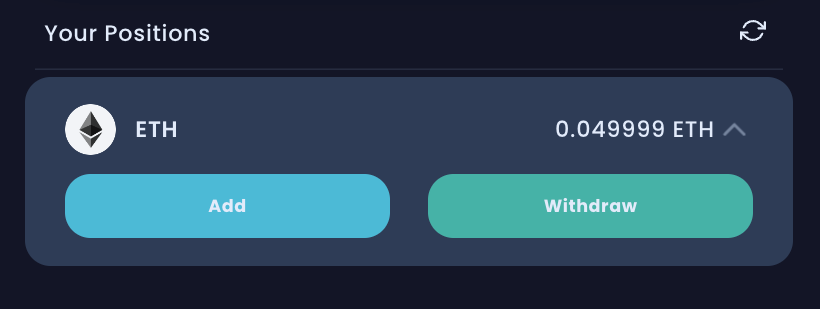
4\. As soon as the transaction is confirmed on the blockchain, you will start earning **Single Sided Yield** **(SSY)** on your deposit . Note that the APR will be approximately half the APR of a regular LP, e.g If the $BTC LP is earning 4% APR, a single sided deposit in the savers vaults will be earning around 2%.
Yield APR is dynamically displayed in the UI (based on previous average - not an garantee of future performance). Earned amount can be tracked on THORSwap as well as [THORYield](https://app.thoryield.com/).
> *Download THORYield for iOS or Android* [***here.***](https://linktr.ee/THORYield)